Drag-and-drop editor
Place text, photos, shapes, motifs, and QR codes anywhere on the page. QR codes can open the guest site or a published digital invite. Align, distribute, and nudge with print guides for safe margins and bleed.
Opening offer — Weduler Plus from $29 (was $49) · Opening offer until 1 Nov 2026
See pricing
Design wedding stationery that matches your day — invitations, place cards, menus, and more — with matched suites, seating merge, and print-ready export inside your couple workspace.
Add text, photos, motifs, and guest data on a canvas with print guides — then export a PDF for the printer or home print.
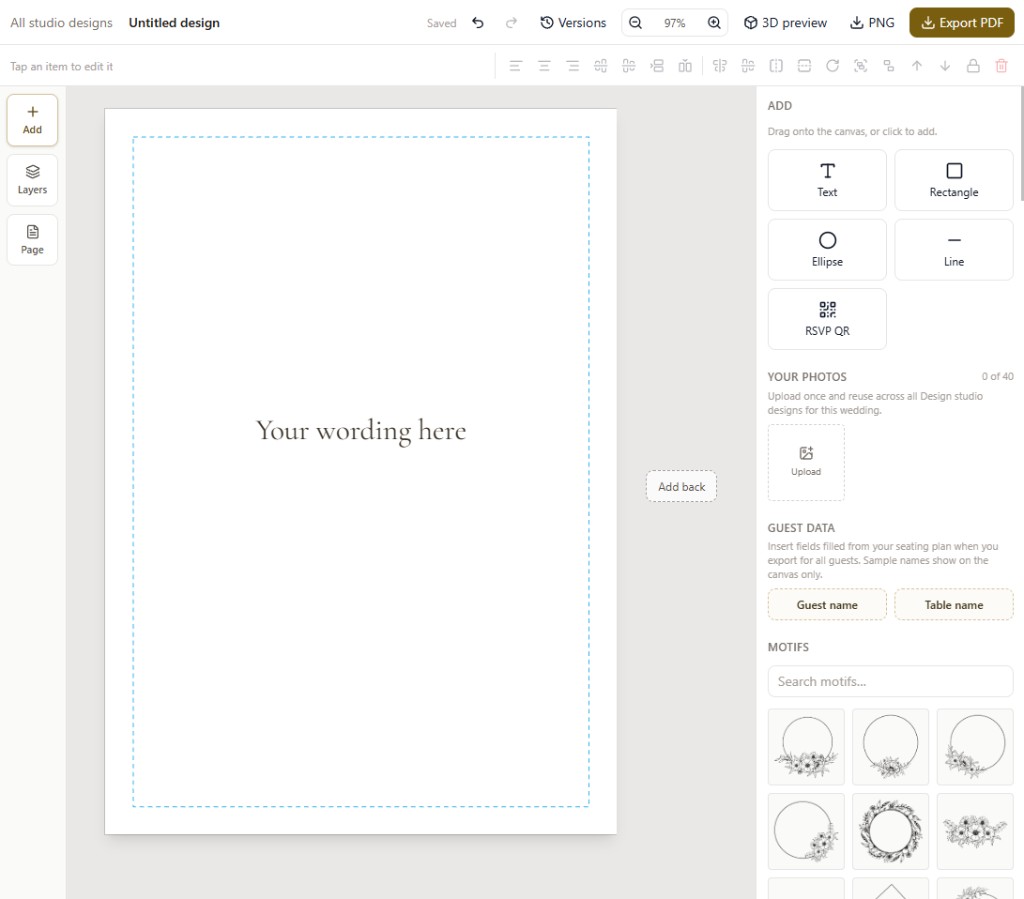
Start from a matched suite or a blank page. Move type and images freely, apply your wedding accent from Look in one click, preview both sides in 3D, then export a PDF you can send to a printer.
Place text, photos, shapes, motifs, and QR codes anywhere on the page. QR codes can open the guest site or a published digital invite. Align, distribute, and nudge with print guides for safe margins and bleed.
Begin with Champagne, Garden, Linen, or Isle starters for invitations, save the dates, place cards, menus, table numbers, thank-yous, and order of service — then make them yours.
Design both faces when you need them. Export as a single-sided card, duplex flat for long-edge flip, or a tent-fold place card.
Flip a real front and back preview before you print, so layout and fold direction feel right on screen.
Merge guest name, table, meal, household, and seat from your seating plan so place cards and table pieces stay in sync with the guest list.
Download PNG or PDF as a finished card, a tiled sheet for home printing, or a batch for every seated guest.
One studio for the pieces guests hold in their hands — from the first save the date to the thank-you after the weekend.
Single-sided or duplex invites with your wording, photos, a look that matches the guest website, and an optional QR to the site or a published digital invite.
Landscape or minimal starters so the weekend is on calendars early.
Flat or tent-fold cards, with optional merge for name, table, meal, household, and seat from seating.
Day-of pieces for the table and ceremony that share the same visual language.
Bold or cream starters guests can spot from across the room.
Warm notes after the day — simple or onyx styles you can refine together.
Choose a starter from a matched suite, or set a finished size and start blank. Apply your wedding accent from Look in one click.
Edit freely, add photos and motifs, copy or mirror the front to the back, and flip the 3D preview.
Save versions as you go, then export a card, sheet, or guest batch PDF for the printer or home print.
Stationery sits next to seating, guest communications, and thank-yous — these guides help the whole flow.
Create your wedding, invite your partner, and open Design studio when you are ready for invitations and day-of pieces.